

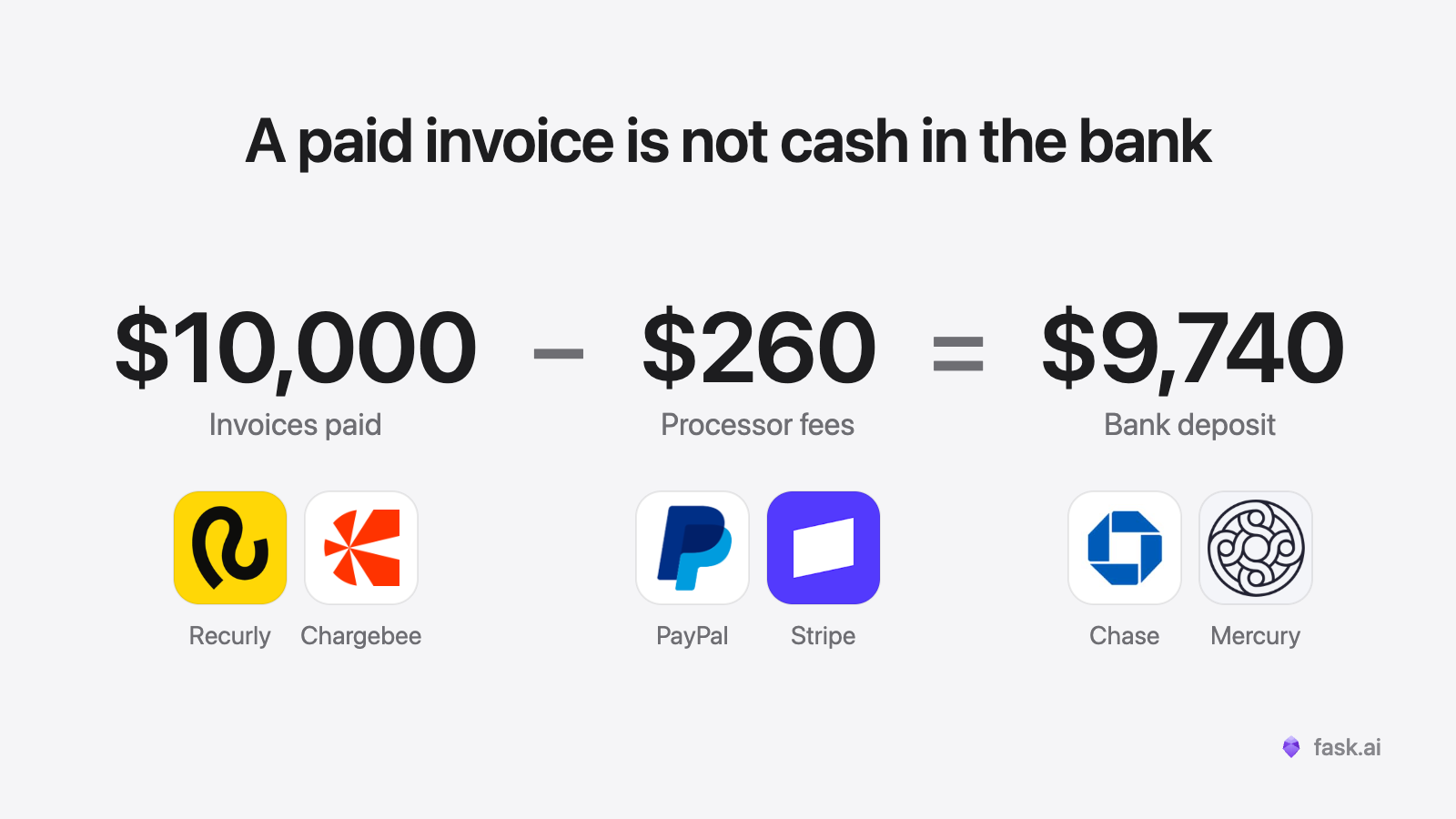
The deposit from your payment processor does not match your invoices. That is normal. Your billing system marks an invoice paid when the card is approved, and the cash has not moved yet. It reaches your bank a few days later, as one deposit with no invoice numbers on it.
Most days it arrives and nobody thinks about it. The day it does not, nothing in your billing system tells you. A processor can put a risk hold on a deposit or keep back a reserve, and the invoice still says paid.
If cash on hand matters to you, "paid" has to be checked against the bank. Here is how to reconcile the two when the processor has never seen your invoice numbers.
Why the deposit does not match the invoices
Four systems touch a card payment, and sometimes one company runs two of them. The billing system raises the invoice. The gateway sends the charge for approval and groups each day's approved charges into a batch. The processor collects the money for the batch, which is called settling it. The bank receives the deposit. Each one keeps its own record and its own name for a payment.
| System | What it records | How it names a payment |
|---|---|---|
| Billing system | The invoice and the customer | Invoice number |
| Gateway | The charge, the approval code that came back, and the batch it went into | Transaction ID |
| Processor | The settled charge, the batch and the fees | Approval code and batch number |
| Bank | Usually one deposit per batch | An amount and a date |
The invoice number often stops at the gateway. Two cases are easier. If your processor is also your gateway, like Stripe, its payout report lists the charges inside each automatic payout, so the second check is done for you. If your processor's transaction report has an invoice or order column and it is filled in, match on that, and the first two checks become one. If neither is true, read on.
Three more things move the deposit away from what you billed.
- Timing. Charges are grouped into a batch once a day at a cut-off time. A charge after the cut-off goes into the next batch, and the deposit usually lands two to three business days after the charge.
- Fees. Some processors take their fees out of every deposit. Others pay the full amount and take the whole month's fees in one debit. Your monthly statement shows which.
- Refunds, chargebacks and reserves. A chargeback is a charge the cardholder disputed and got back. A reserve is money the processor keeps back to cover refunds and chargebacks. Refunds and chargebacks usually come out of a later deposit than the one that carried the sale. A rolling reserve is held back from each day's deposit and paid out later.
So $10,000 billed on Monday can arrive as $9,740 on Wednesday, and both numbers can be right.
The three checks
The chain has three links, so there are three checks. Run them in order, because each one explains gaps in the next.
- Invoices to charges. Every invoice marked paid by card has one approved charge at the gateway.
- Charges to batches. Every approved charge sits in a settled batch.
- Batches to deposits. Every batch, less fees, refunds, chargebacks and reserves, matches what reached the bank for it.
Take one month's charges and follow them through to the deposits that paid them. The whole thing fits on one line.
Paid card invoices less refunds = settled charges less refunds = the deposits that paid them + fees taken out + chargebacks + money held back, less any released
If the first equals sign fails, the gap is between your billing system and the processor. If the second fails, something between the processor and the bank is unexplained.
Run all three every month before you close the books, at the least. Run them weekly and a hold is days old when you find it. Daily is better still, and too much to do by hand.
What to match on without an invoice number
Billing system to gateway. Billing systems such as Recurly and Chargebee save the gateway's transaction ID on each payment. The gateway's reports list the same ID, so this is an exact match. Export both lists and match them on that ID.
Gateway to processor. When the gateway and the processor are different companies, the processor may never have seen that ID. PayPal's Payflow gateway can work this way. It passes each charge to the processor your merchant bank uses. Match on four fields together.
- The approval code, the short code that comes back when the card is approved. It is usually six characters.
- The last four digits of the card, and the first six where both reports show them.
- The amount.
- The date.
Refunds can come through with no approval code. Match those on card digits, amount and date, and look twice when two of them are alike.
Two small things cause most false gaps. Check the units, because some reports give amounts in cents. Check the clock, because batch reports follow the gateway's or processor's time zone and cut-off, so a charge late on the 31st can belong to next month's first batch.
Processor to bank. The processor's deposit report lists each deposit with the batches inside it and the fees taken out. Match each deposit to a bank line on amount and date. If all you get is a monthly statement, do it at the month level. Total batches, less the fees, refunds, chargebacks and reserves taken out of deposits, should equal total deposits.
What each gap means
| What you find | What it usually means |
|---|---|
| Invoice paid, no charge | Marked paid by hand, or paid another way |
| Charge with no invoice | Charged outside the billing system, or a duplicate |
| Approved charge in no batch | Cancelled before the batch closed, which processors call a void. No money moved |
| Batch that does not equal its deposit | Fees, a refund, a chargeback or a reserve |
| Batch with no deposit | Usually a hold. Sometimes a payout that never reached the bank |
Most months every row is empty except a few charges in transit at month end.
When a deposit is short or missing
Look before you write to anyone. The processor's own record explains most gaps.
- Stripe. Open an automatic payout to see every transaction in it. Stripe lists the usual causes of a payout that differs from what you expected, such as refunds, disputes, a reserve or a changed payout schedule.
- PayPal. When money is held, PayPal says why in an email and an alert on your account.
- A payout that never lands. If Stripe shows it as paid and it is not in the bank after five business days, the first call is to your bank. Give them the payout's trace ID, the date and the exact amount.
If the record does not explain it, ask. Stripe offers live chat and email after you sign in. PayPal offers chat, a call and its Message Center. When a gateway only passes the charge on, the money question goes to the processor behind it. Have the batch or payout number, the dates, the amount you expected and the amount you got.
How to book it
Post card payments to a clearing account, not straight to the bank account. When a deposit lands, move its batches from clearing to the bank, and book the fees, refunds and chargebacks that came out of it. Whatever is left in clearing is money in transit or money held, and after the three checks you can name every charge in it.
Where it still breaks
Two charges for the same amount, on the same card, on the same day. The approval code tells two sales apart. It does not always tell two refunds apart, and that pair needs a person.
Card brands that pay on their own schedule. With a direct American Express account, Amex deposits separately from Visa and Mastercard, so one batch can arrive as two deposits.
A processor with no export. Some give you a portal and a PDF statement and nothing else. Then the third check is monthly at best.
Money that never touches the card processor. ACH taken outside your processor, checks and wires skip this chain and need their own check.
Month end. The last day or two of charges settle next month. Track them as in transit, not as missing.
What AI agents do here
By hand this is a monthly job, weekly at best. Fask agents do it every day.
You connect your billing system, your gateway or processor, and your bank, such as Chase or Mercury. Each day an agent pulls the new invoices, payments, batches and deposits, and runs all three checks on every one. A late or held deposit shows up the day it was due.
You get a live page where every invoice shows as settled, waiting to settle, missing, unpaid or paid another way, with a link back to the invoice.
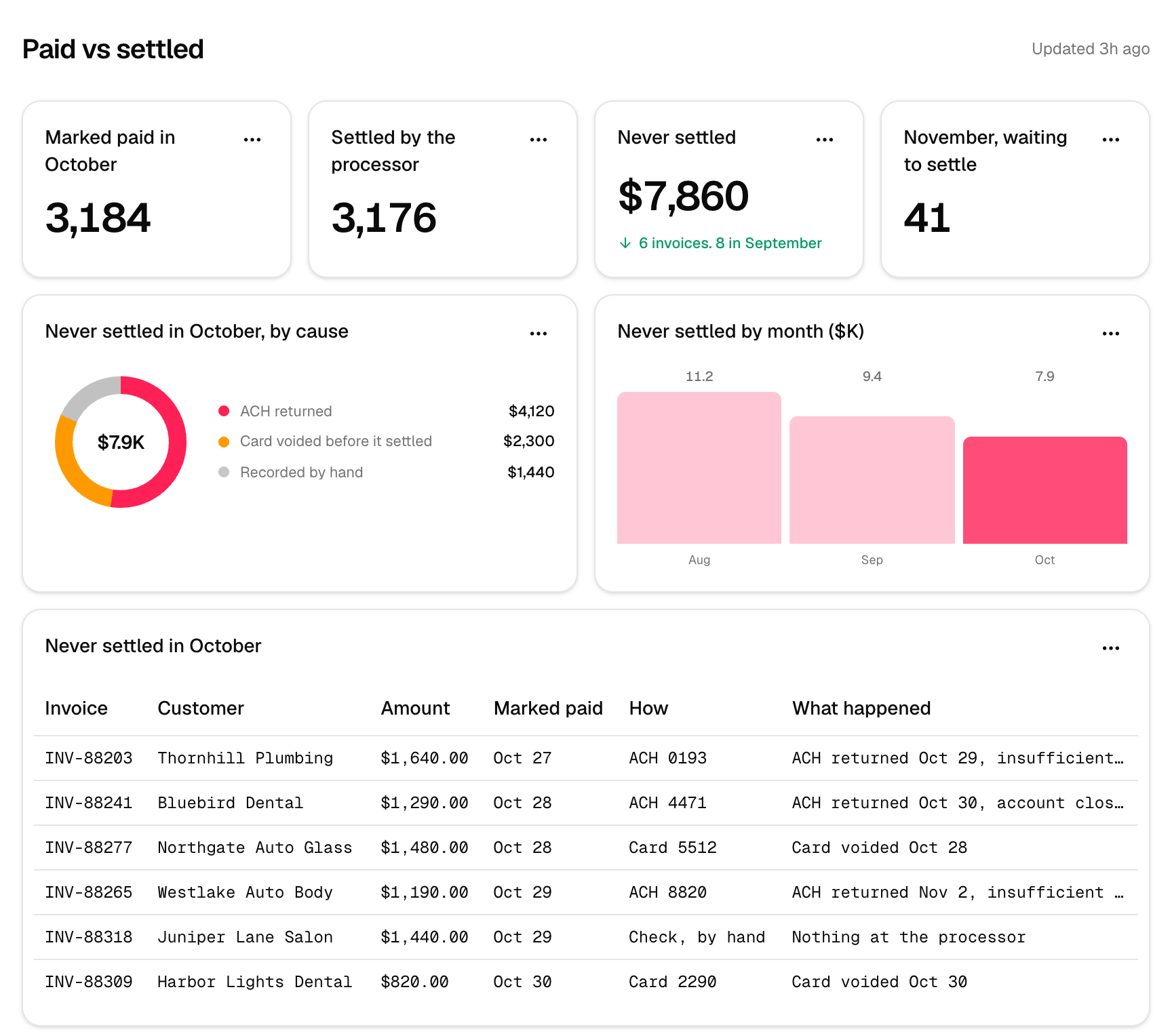
With the bank connected, the agent also ties each batch to the deposit that paid it and shows the fees taken out. When a bank offers no connection, it works from the export you download from the bank.
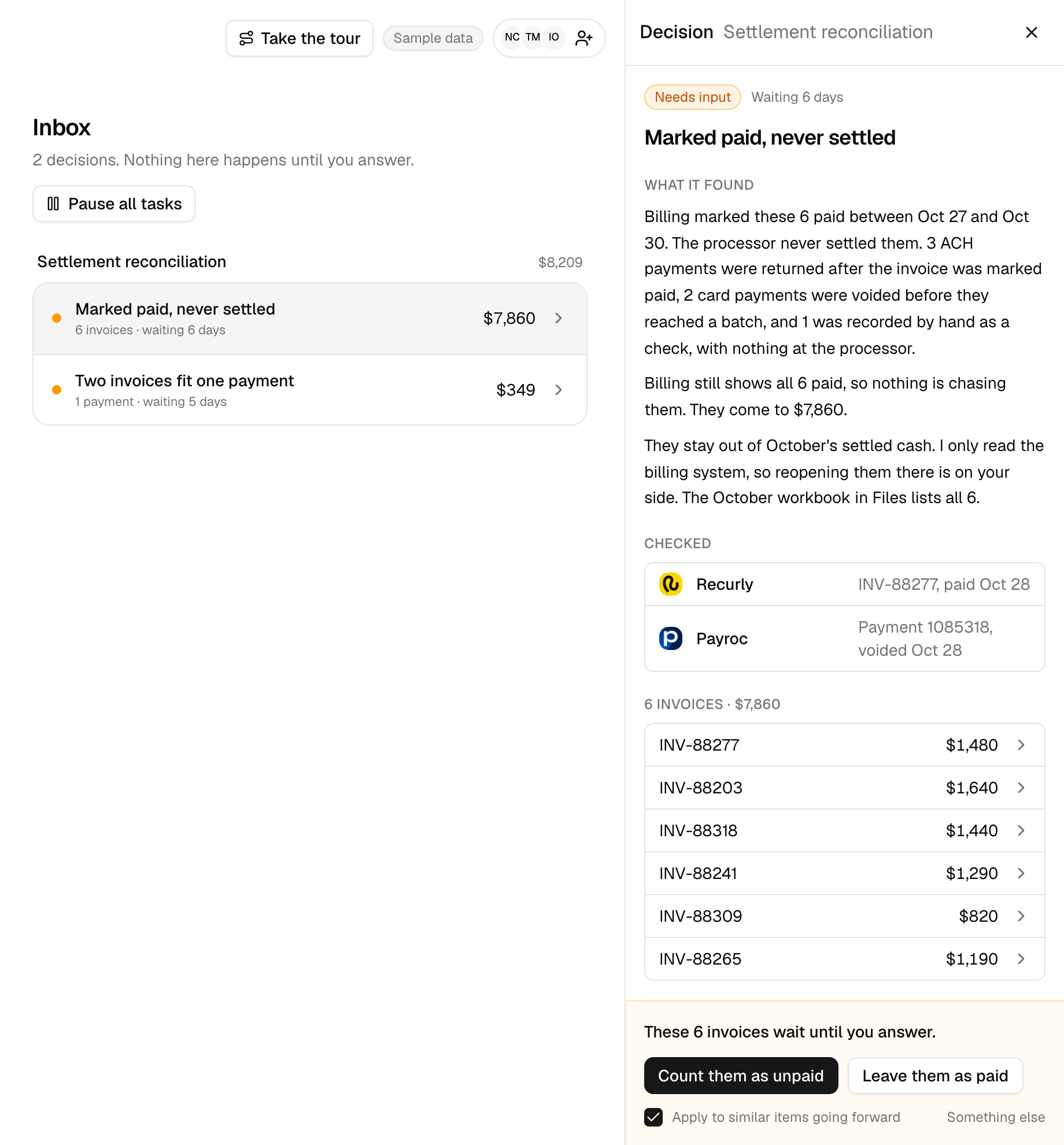
When something does not add up, the agent does the legwork. It reads the processor's own record first, since that explains most gaps. For what is left it drafts the note to the processor or the bank, with the batch, the dates, the two amounts and the charges in question. Nothing goes out on its own. It waits in your team's inbox until someone answers.
See payment and payout reconciliation for the rest of what it covers.
Common questions
Why does my payment processor deposit not match my invoices?
A deposit is a whole day of card payments in one amount, often with fees, refunds and chargebacks taken out. It also usually lands two to three business days after the charges, so it rarely equals what you billed that day.
How do I match a deposit to invoices when it has no invoice numbers?
Work back one link at a time. Match the deposit to its batches on amount and date, the batches to charges on approval code, card digits, amount and date, and the charges to invoices on the gateway's transaction ID.
Do I need all three checks if I use Stripe?
Not all three. On automatic payouts Stripe's report lists the charges inside each payout, so the second check is done for you, and you still match invoices to charges and payouts to bank deposits.
How often should I reconcile processor deposits?
By hand, at least once a month before you close the books, and weekly if you can. A Fask agent runs the checks every day, so a late or held deposit shows up the day it was due.
What is a clearing account for card payments?
It is an account in your books that holds card payments between the sale and the bank deposit. After you reconcile, whatever is left in it is money in transit or money the processor is holding.
What should I do when a deposit is short?
Open the payout or batch at the processor first, since fees, refunds, disputes and reserves explain most gaps. If it still does not add up, ask the processor's support, with the batch number, the dates and the two amounts.